




Introduction
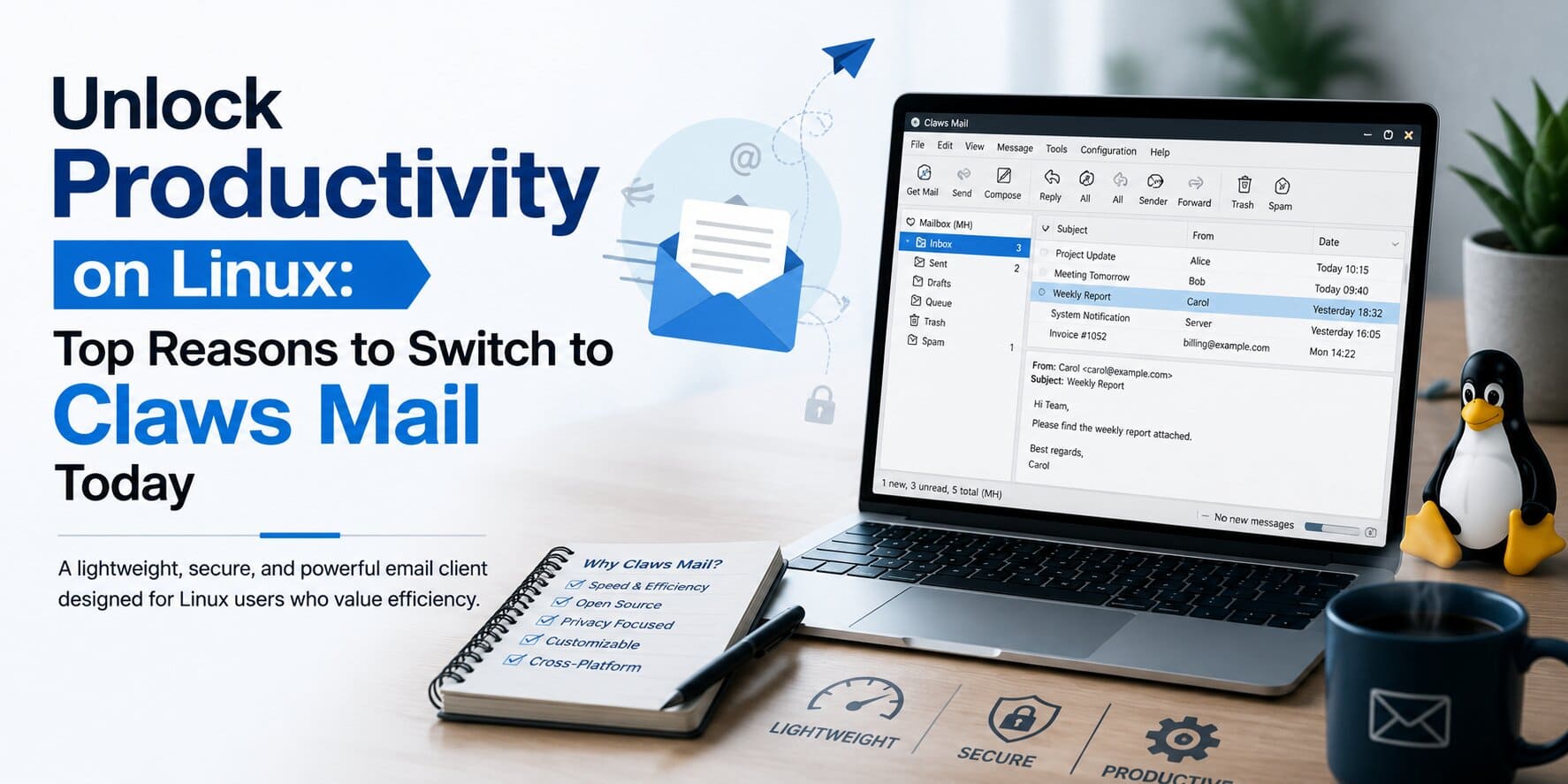
Cloud-based email platforms such as Gmail, Microsoft Outlook, and webmail interfaces have become standard across businesses. Yet many Linux professionals continue to rely on dedicated desktop email clients for greater control, faster performance, enhanced privacy, and offline access.
Among the available open-source email clients, Claws Mail has earned a strong reputation for being lightweight, reliable, and highly configurable. Unlike feature-heavy applications that consume significant system resources, Claws Mail focuses on speed, stability, and efficiency while providing the flexibility required by Linux administrators, developers, hosting providers, and enterprise users.
Whether you’re managing multiple business email accounts, administering Linux servers, or simply prefer an email client that respects your privacy, Claws Mail remains one of the most dependable choices available.
This guide explores how Claws Mail works, its key capabilities, installation process, security features, business use cases, and why it continues to be a preferred email client within the Linux community.
What is Claws Mail?
Claws Mail is a free, open-source email client designed primarily for Linux, BSD, and other Unix-like operating systems. Originally developed as Sylpheed-Claws, the project later became an independent application focused on delivering a fast, standards-compliant, and extensible email experience.
Unlike many modern email applications that prioritize visual design over performance, Claws Mail follows a different philosophy:
- Fast startup time
- Minimal CPU usage
- Low memory consumption
- Excellent stability
- Extensive plugin architecture
- Strong support for email security
Its lightweight design makes it particularly attractive for professionals working on Linux workstations, virtual machines, older hardware, and remote administration systems.
Why Linux Professionals Still Prefer Desktop Email Clients
Despite the popularity of browser-based email services, desktop email applications continue to offer several practical advantages.
Better Performance
A native email client communicates directly with mail servers without requiring multiple browser tabs or background scripts. This results in quicker message retrieval and lower system resource usage.
Offline Access
Administrators and developers often work in environments with unreliable internet connectivity. Claws Mail stores emails locally, allowing users to read, organize, and draft messages even when offline.
Enhanced Privacy
Unlike webmail platforms that frequently load remote content and tracking pixels, Claws Mail gives users full control over external content, helping reduce email tracking and privacy concerns.
Multi-Account Management
Many IT professionals manage several email accounts simultaneously, including:
- Corporate email
- Personal accounts
- Client mailboxes
- Support inboxes
- Server notification addresses
Claws Mail consolidates them into a single interface while maintaining independent configurations.
Key Features of Claws Mail
1. Lightweight Performance
One of the biggest reasons users choose Claws Mail is its exceptional speed. The application launches within seconds, consumes very little RAM, and remains responsive even when managing large email archives. For Linux systems running limited resources or virtual machines, this efficiency becomes a significant advantage.
2. Support for IMAP, POP3, and SMTP
Claws Mail works with virtually every major email provider, including:
- Gmail
- Microsoft 365
- Outlook
- Yahoo Mail
- Zoho Mail
- Proton Mail (Bridge)
- Corporate Exchange gateways using IMAP
Supported protocols include:
- IMAP
- POP3
- SMTP
This flexibility allows organizations to integrate Claws Mail into existing email infrastructures without requiring proprietary software.
3. Multiple Email Accounts
Professionals frequently manage several inboxes. Claws Mail allows separate configurations for:
- Individual identities
- SMTP servers
- Signatures
- Security certificates
- Folder structures
Switching between accounts is fast and intuitive.
4. Advanced Email Filtering
Handling hundreds of daily emails manually quickly becomes inefficient. Claws Mail includes a comprehensive filtering engine capable of automatically:
- Sorting incoming emails
- Moving messages into folders
- Marking important messages
- Flagging priority mail
- Deleting spam
- Executing custom actions
These automation capabilities significantly improve productivity for busy support teams.
5. Powerful Search Capabilities
Users can instantly search emails using multiple criteria, including:
- Sender
- Recipient
- Subject
- Date
- Attachments
- Keywords
- Message body
Even large mailboxes remain responsive due to Claws Mail’s efficient indexing.
6. Flexible Interface
Although intentionally simple, the interface is highly customizable. Users can modify:
- Folder layout
- Preview pane
- Toolbar
- Fonts
- Keyboard shortcuts
- Themes
The result is a clean workspace that minimizes distractions while improving efficiency.
7. Plugin-Based Architecture
Rather than forcing unnecessary features into the core application, Claws Mail allows users to install only the plugins they actually need. Popular plugins include:
- SpamAssassin integration
- RSS Reader
- PDF Viewer
- Notification plugin
- Calendar integration
- HTML viewer
- GnuPG encryption
- Perl scripting support
This modular design keeps the application lightweight while allowing extensive customization.
Installing Claws Mail on Linux
Claws Mail is available in the repositories of nearly every major Linux distribution.
Ubuntu / Debian
sudo apt update
sudo apt install claws-mail
Fedora
sudo dnf install claws-mailArch Linux
sudo pacman -S claws-mailopenSUSE
sudo zypper install claws-mailLaunch the application using:
claws-mailDuring the first startup, Claws Mail provides a setup wizard that guides users through email account configuration, including IMAP, POP3, SMTP settings, authentication, and SSL/TLS encryption.
Setting Up Your First Email Account
Configuring Claws Mail typically takes only a few minutes. The basic process involves:
- Open Claws Mail.
- Create a new account.
- Enter your email address.
- Configure IMAP or POP3 settings.
- Add SMTP details.
- Enable SSL/TLS encryption.
- Verify authentication.
- Synchronize folders.
Once configured, Claws Mail automatically downloads folders and synchronizes messages according to your preferences.
Security Features That Make Claws Mail Stand Out
Email remains one of the most common targets for phishing, malware, and credential theft. Claws Mail is designed with a security-first approach, giving users greater control over how email content is displayed and processed.
Unlike many email clients that automatically load remote images or embedded content, Claws Mail minimizes unnecessary exposure by allowing users to decide what content should be loaded.
SSL/TLS Encryption
Claws Mail supports encrypted communication with mail servers using SSL/TLS protocols. Whether you’re connecting to Gmail, Microsoft 365, Zoho Mail, or a private mail server, encrypted connections help protect usernames, passwords, and email content during transmission. For organizations, enabling encrypted connections is a basic but essential security practice.
OpenPGP Email Encryption
For users handling confidential business communications, Claws Mail integrates with GnuPG (GPG) to provide end-to-end encryption. With the GPG plugin, users can:
- Encrypt outgoing emails
- Digitally sign messages
- Verify incoming signatures
- Manage encryption keys
- Protect sensitive communication
This feature is particularly valuable for:
- System administrators
- Hosting providers
- Financial organizations
- Government agencies
- Open-source developers
Spam Protection
Managing spam efficiently saves both time and storage. Claws Mail supports multiple spam detection methods through plugins, including:
- SpamAssassin
- Bogofilter
- DSPAM (where available)
Administrators can automatically:
- Move spam into separate folders
- Delete unwanted messages
- Mark suspicious emails
- Create custom spam rules
Combining server-side spam filtering with Claws Mail’s local filters provides an additional layer of protection.
Best Claws Mail Plugins
One of Claws Mail’s biggest strengths is its modular architecture. Users only install the functionality they actually need.
SpamAssassin Plugin
Automatically analyzes incoming emails for spam characteristics and assigns spam scores.
Ideal for:
- Business mailboxes
- Support teams
- Shared email accounts
GPG Plugin
Adds secure email encryption and digital signature support.
Recommended for:
- Linux administrators
- Enterprise users
- Organizations handling confidential information
RSSyl Plugin
Allows Claws Mail to function as an RSS reader.
Useful for monitoring:
- Linux security advisories
- Technology news
- Server updates
- Open-source project announcements
Notification Plugin
Displays desktop notifications whenever new mail arrives.
Helpful for:
- Support engineers
- Helpdesk teams
- NOC engineers
- System administrators
PDF Viewer Plugin
Allows users to preview PDF attachments directly within the application without opening additional software.
Optimizing Claws Mail Performance
Even though Claws Mail is lightweight by design, a few maintenance practices help keep it performing efficiently.
Organize Large Mailboxes
Avoid storing tens of thousands of emails in a single folder. Instead, archive older messages into yearly or monthly folders. Benefits include:
- Faster searches
- Improved synchronization
- Better organization
- Reduced mailbox corruption risk
Keep Plugins to a Minimum
Installing unnecessary plugins increases complexity. Only enable features that provide real value for your workflow. A minimal configuration generally delivers the best performance.
Backup Configuration Files
Claws Mail stores configuration files locally. Regular backups make recovery easier after:
- System upgrades
- Disk failures
- Migration to another Linux workstation
Regular Folder Maintenance
Occasionally compact folders and remove deleted messages permanently. This keeps mailbox databases optimized and reduces disk usage.
Common Claws Mail Problems and Solutions
Even reliable applications occasionally require troubleshooting. Here are some common issues Linux users encounter.
Unable to Connect to Mail Server
Possible causes include:
- Incorrect IMAP settings
- Firewall restrictions
- Expired passwords
- Incorrect SMTP ports
- SSL certificate issues
Always verify server details with your email provider.
SSL Certificate Errors
If Claws Mail reports certificate warnings:
- Verify the server certificate.
- Ensure the system date and time are correct.
- Confirm you’re connecting to the correct mail server.
- Update trusted CA certificates if necessary.
Avoid bypassing certificate validation unless you fully understand the security implications.
Emails Not Synchronizing
Common reasons include:
- IMAP synchronization disabled
- Network connectivity issues
- Mailbox quota exceeded
- Authentication failure
Checking server logs often helps identify the exact cause.
Slow Search Performance
Large mailboxes with years of stored emails can slow search operations. Improvement tips include:
- Archive old emails.
- Delete unnecessary folders.
- Compact mailbox databases.
- Reduce duplicate folders.
Claws Mail vs Other Linux Email Clients
| Feature | Claws Mail | Thunderbird | Evolution | KMail |
|---|---|---|---|---|
| Startup Speed | Excellent | Good | Moderate | Moderate |
| Memory Usage | Very Low | Moderate | Higher | Higher |
| Customization | Excellent | Good | Good | Excellent |
| Plugin Support | Excellent | Excellent | Limited | Good |
| Offline Access | Yes | Yes | Yes | Yes |
| OpenPGP Support | Yes | Yes | Yes | Yes |
| Best For | Linux professionals | General users | GNOME users | KDE users |
There is no single “best” Linux email client.
- Thunderbird is ideal for users wanting an all-in-one experience with a modern interface.
- Evolution integrates well with GNOME desktop environments and Microsoft Exchange services.
- KMail works best within KDE-based systems.
- Claws Mail remains an excellent choice for users who prioritize speed, low resource usage, stability, and complete control over their email environment.
For administrators managing multiple Linux systems or lightweight virtual machines, Claws Mail continues to offer one of the most efficient desktop email experiences available.
Business Use Cases for Claws Mail
Although Claws Mail is often associated with individual Linux enthusiasts, it is also widely used in professional environments where performance, stability, and security are priorities.
Organizations managing Linux infrastructure appreciate its lightweight architecture because it performs well even on older workstations, virtual machines, and remote desktop environments.
Typical business use cases include:
Linux System Administration
System administrators often monitor:
- Server alerts
- Backup reports
- Monitoring notifications
- Security advisories
- Scheduled job results
Claws Mail allows these notifications to be organized using filters and folders, making it easier to identify critical alerts without distractions.
Web Hosting Providers
Hosting companies frequently maintain multiple email accounts for different departments, including:
- Technical Support
- NOC (Network Operations Center)
- Abuse Desk
- Billing
- Sales
- Server Monitoring
With Claws Mail’s filtering rules, support teams can automatically separate incoming messages based on priority, sender, or subject, helping reduce response times and improve operational efficiency.
Software Development Teams
Developers receive notifications from various systems throughout the day, such as:
- Git repositories
- CI/CD pipelines
- Bug tracking platforms
- Build servers
- Security scanners
Using custom folders and filters, Claws Mail helps organize these automated emails so that important notifications are not overlooked.
Small and Medium Businesses
Businesses looking for a lightweight, reliable desktop email solution can benefit from Claws Mail without investing in resource-intensive applications. It is particularly suitable for organizations using:
- Linux desktops
- VPS environments
- Remote workstations
- Thin clients
- Older hardware
Best Practices for Using Claws Mail
To get the most from Claws Mail, consider the following recommendations:
- Keep the application updated to receive the latest security fixes.
- Enable SSL/TLS for all incoming and outgoing mail connections.
- Use strong passwords and, where available, app-specific passwords for email accounts.
- Configure regular mailbox backups to prevent data loss.
- Archive older emails periodically to maintain optimal performance.
- Review installed plugins regularly and remove any that are no longer needed.
- Enable spam filtering and create custom rules for frequently received messages.
- Verify encryption settings if handling confidential business communications.
Following these practices helps ensure a secure and efficient email environment.
Why Linux Professionals Continue to Choose Claws Mail
Over the years, many desktop email clients have shifted toward larger, feature-rich interfaces that require more system resources. Claws Mail has taken a different approach. Its focus remains on:
- Speed
- Reliability
- Simplicity
- User control
- Security
- Extensibility
For Linux users who prefer applications that perform efficiently without unnecessary complexity, Claws Mail continues to be one of the strongest open-source email clients available.
How ACTSupport Helps Linux-Based Businesses
Organizations relying on Linux infrastructure often require more than just reliable software—they need experienced professionals to maintain, secure, and optimize their environments.
At ACTSupport, our engineers assist businesses worldwide with Linux server administration and managed infrastructure services, including:
- Linux server management
- Web hosting support
- Email server administration
- Server monitoring
- Security hardening
- Performance optimization
- Backup and disaster recovery
- 24×7 technical support
Whether your organization manages a few Linux servers or a large hosting environment, proactive administration helps improve uptime, strengthen security, and reduce operational risks.
Conclusion
Claws Mail continues to demonstrate that an email client doesn’t need excessive features or high hardware requirements to be effective.
Its lightweight architecture, flexible configuration options, strong security capabilities, and plugin ecosystem make it an excellent choice for Linux users seeking speed, reliability, and complete control over their email workflow.
Whether you’re a Linux administrator, developer, hosting provider, or privacy-conscious professional, Claws Mail offers a dependable desktop email experience that remains relevant in today’s cloud-first world.
By combining Claws Mail with good security practices and proper Linux system administration, organizations can create an efficient and secure communication environment for both daily operations and long-term productivity.



