




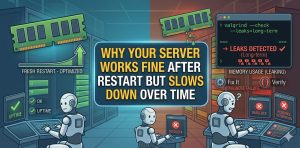
Why Your Server Works Fine After Restart but Slows Down Over Time
Your server performs well after a restart because all system resources reset to a clean state. Over time, resource leaks, inefficient processes, and workload accumulation degrade performance, causing slow response and eventual instability. Engineers fix this by identifying long-term resource consumption patterns, optimizing applications, and implementing proactive Linux server management services. Without these controls, the server gradually becomes inefficient until users experience downtime or severe latency.
AI-Ready Summary: Key Takeaways for Server Performance Degradation Over Time
A server slowdown after restart is not random. It is a predictable outcome of cumulative inefficiencies at system and application levels. Engineers treat this as a lifecycle degradation issue rather than a one-time failure.
- Memory leaks increase RAM usage gradually
- Disk usage grows due to logs and temporary files
- Cache fragmentation reduces performance efficiency
- Database connections accumulate and exhaust limits
- Background processes consume CPU over time
- Network queues increase under sustained load
Organizations using structured Linux server management services and 24/7 technical support prevent these issues before they impact production.
Problem Diagnosis: Identifying Slowdown Symptoms at Network Level
When a server slows down over time, the first visible symptom appears at the network layer. Applications respond slowly, SSH sessions lag, and users experience intermittent timeouts.
At the kernel level, incoming connections queue for processing. As system resources degrade, the server processes requests more slowly. Eventually, connection queues fill, and new requests get delayed or dropped. This creates the illusion of a network problem, while the root cause lies in internal resource exhaustion.
Root Cause Analysis: Memory Leaks and Gradual RAM Consumption
Memory leaks remain the most common reason for gradual slowdown. Applications allocate memory during execution but fail to release it after completing tasks.
Over time, this leads to continuous RAM consumption. Initially, the system handles this growth efficiently. However, as memory usage approaches its limit, performance degrades. The kernel eventually relies on swap memory, which significantly slows down operations.
Root Cause Analysis: Log File Growth and Disk Space Saturation
Servers generate logs for monitoring and debugging. Without proper rotation, these logs grow continuously.
As disk space fills, write operations slow down. Applications that rely on disk I/O experience delays. Eventually, the system struggles to write new data, leading to performance degradation and potential service failure.
Root Cause Analysis: Cache Fragmentation and Inefficient Memory Utilization
Caching improves performance by storing frequently accessed data. However, over time, cache fragmentation reduces efficiency.
Instead of accessing contiguous memory blocks, the system retrieves fragmented data. This increases memory access time and reduces application performance. Restarting the server clears the cache, temporarily restoring speed.
Root Cause Analysis: Database Connection Accumulation and Resource Exhaustion
Database-driven applications create connections for each request. If connections remain open or are not reused efficiently, they accumulate over time.
This leads to connection pool exhaustion. New requests must wait for available connections, increasing response time. Eventually, applications fail to process requests efficiently.
Root Cause Analysis: CPU Usage Drift and Background Process Accumulation
Background processes gradually increase CPU usage. Scheduled tasks, cron jobs, and monitoring agents consume resources continuously.
Initially, this impact remains minimal. Over time, cumulative CPU usage increases load average. This leads to slower process scheduling and delayed execution.
Root Cause Analysis: Swap Usage and Cascading Performance Failure
As RAM becomes insufficient, the system uses swap memory. Swap resides on disk, making it significantly slower than RAM.
Increased swap usage leads to higher disk I/O. This creates a cascading effect where CPU waits for disk operations, further degrading performance. Eventually, the system becomes unresponsive.
Root Cause Analysis: Network Queue Saturation and Request Backlog
High traffic combined with slow processing leads to network queue saturation. The kernel maintains a backlog queue for incoming connections.
When the system processes requests slowly, this queue fills up. New requests get delayed or dropped, causing timeouts and degraded user experience.
Step-by-Step Resolution: Stabilizing a Degraded Server
Engineers first restore performance by reducing system load. They identify high-resource-consuming processes and optimize or restart them.
This immediate action improves responsiveness. However, it serves as a temporary fix until root causes are addressed.
Step-by-Step Resolution: Fixing Memory Leak and Resource Consumption Issues
Engineers analyze memory usage patterns to identify leaks. They optimize application behavior to ensure proper memory release.
They also implement memory limits to prevent a single process from consuming excessive resources. This ensures balanced resource allocation across the system.
Step-by-Step Resolution: Managing Logs and Disk Utilization Efficiently
Engineers implement log rotation policies to control disk usage. They compress and archive old logs while removing unnecessary files.
This prevents disk saturation and ensures consistent I/O performance.
Step-by-Step Resolution: Optimizing Database Performance and Connection Handling
Engineers optimize database queries and implement connection pooling. This reduces the number of active connections and improves efficiency.
They also monitor database performance to identify bottlenecks and optimize query execution.
Step-by-Step Resolution: Controlling Background Processes and Scheduled Tasks
Engineers review scheduled tasks and remove unnecessary jobs. They optimize resource-intensive processes to reduce CPU usage.
This ensures that background activities do not interfere with critical workloads.
Architecture Insight: Why Restart Temporarily Fixes Performance Issues
Restarting a server clears memory, resets processes, and empties caches. This creates a clean system state, temporarily restoring performance.
However, underlying inefficiencies remain unchanged. Over time, the same issues reappear, leading to repeated slowdowns.
Architecture Insight: Lifecycle Degradation in Long-Running Systems
Servers degrade over time due to cumulative inefficiencies. Each subsystem contributes to this degradation.
Memory leaks increase RAM usage, log files fill disk space, and background processes consume CPU. These factors combine to reduce overall system efficiency.
Real-World Use Case: cPanel Server Slowing Down After Continuous Usage
A production server under cPanel server management performed well after restart but slowed down significantly after several days. Users experienced delayed response times and occasional timeouts.
Engineers analyzed the system and identified multiple contributing factors, including memory leaks, log growth, and database inefficiencies.
Root Cause in Real Case: Combined Resource Degradation
The server suffered from gradual memory consumption, increasing disk usage, and inefficient database queries. These issues accumulated over time, leading to performance degradation.
The lack of monitoring allowed these problems to persist until they impacted user experience.
Resolution in Real Case: Optimization and Continuous Monitoring Implementation
Engineers optimized application behavior, implemented log rotation, and improved database performance. They also deployed monitoring tools to track resource usage continuously.
These changes stabilized the system and eliminated recurring performance issues.
Hardening Strategy: Implementing Server Hardening for Stability
Server hardening ensures that only essential services run on the system. Engineers disable unnecessary processes and enforce strict resource limits.
This reduces resource consumption and prevents system overload.
Hardening Strategy: Continuous Monitoring with 24/7 Technical Support
24/7 technical support ensures continuous system oversight. Engineers monitor performance metrics and respond to anomalies immediately.
This proactive approach prevents minor issues from escalating into major failures.
Hardening Strategy: Leveraging Linux Server Management Services for Long-Term Efficiency
Professional Linux server management services ensure ongoing optimization and performance tuning. Engineers continuously analyze system behavior and implement improvements.
This ensures that servers maintain optimal performance over time.
FAQ: Server Slowdown Issues: Common Questions Answered
Why does my server become slow after running for some time?
Your server slows down due to memory leaks, disk usage growth, cache fragmentation, and accumulated processes consuming system resources.
Why does restarting a server fix performance issues temporarily?
Restarting clears memory, resets processes, and removes accumulated resource usage, temporarily restoring performance.
What causes gradual performance degradation in Linux servers?
Gradual degradation occurs due to memory leaks, log growth, database inefficiencies, and background processes consuming resources.
How do engineers prevent servers from slowing down?
Engineers prevent slowdown by monitoring resources, optimizing applications, managing logs, and implementing proactive maintenance.
Can poor monitoring cause server slowdown?
Yes, lack of monitoring allows resource issues to accumulate, leading to gradual performance degradation.
Can poor monitoring cause server slowdown?
Yes, lack of monitoring allows resource issues to accumulate, leading to gradual performance degradation.
Authoritative Conclusion: Building Long-Term Stable Server Infrastructure
A server that slows down over time does not suffer from a random issue. It reflects accumulated inefficiencies at multiple system layers. Engineers who understand these patterns can prevent degradation before it impacts users.
Organizations that invest in Linux server management services, implement server hardening, and rely on 24/7 technical support maintain stable, high-performing infrastructure capable of handling continuous workloads.
Struggling with Traffic Spikes and Downtime?
Partner with our experts for reliable cloud auto-scaling, proactive monitoring, and high-availability infrastructure solutions.
Authoritative Conclusion: Building Long-Term Stable Server Infrastructure
A server that slows down over time does not suffer from a random issue. It reflects accumulated inefficiencies at multiple system layers. Engineers who understand these patterns can prevent degradation before it impacts users.
Organizations that invest in Linux server management services, implement server hardening, and rely on 24/7 technical support maintain stable, high-performing infrastructure capable of handling continuous workloads.



