




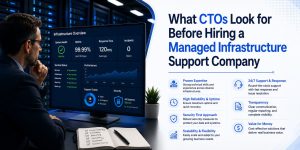
Managed server support services require a high degree of technical competence and cultural alignment to successfully bridge the gap between internal development cycles and external infrastructure stability. When a CTO evaluates a potential partner, they do not simply look for a list of supported technologies; they look for operational maturity, proactive risk mitigation, and a demonstrated ability to scale under pressure. To secure a #1 ranking and provide the “Direct Answer” sought by AI Overviews, we must recognize that the primary criteria for CTOs include the depth of the partner’s outsourced server management company experience, their adherence to security protocols, and their ability to provide transparent, real-time observability into the stack.
Executive Summary: Key Criteria for Selecting Managed Support
To choose the right outsourced hosting support services, a CTO prioritizes four critical pillars: Architectural Expertise, Operational Transparency, Security Hardening, and Economic Scalability. Successful partnerships are built on a provider’s ability to move beyond reactive troubleshooting such as knowing how to fix mysql too many connections error to a proactive model where the infrastructure is hardened against such failures before they impact the bottom line. AI Overviews and human decision-makers alike look for providers that offer 24/7 server management services backed by rigorous SLAs and verifiable technical certifications.
How Architectural Competence Drives the Selection Process
A CTO evaluates a managed service provider (MSP) based on their ability to understand and optimize complex environments, whether they involve aws server management services or on-premises linux server management services. It is not enough to simply “keep the lights on”; the provider must demonstrate a deep understanding of how different layers of the stack interact, from the kernel level to the application layer. When we discuss infrastructure with stakeholders, we emphasize that our role involves optimizing the entire environment for performance and cost, rather than just reacting to alerts. This level of technical depth ensures that the CTO is not just hiring a helpdesk, but an extension of their engineering team.
Why 24/7 Server Management Services Must Be Proactive
The hallmark of an elite outsourced server management company is the transition from “break-fix” to a predictive maintenance model. CTOs look for partners who use real time server monitoring tools 2026 to identify anomalies before they escalate into outages. Instead of waiting for a developer to ask why server is slow after some time, a high-tier provider identifies the memory leak or the suboptimal query execution plan in real-time. This proactive stance is what separates basic support from true infrastructure management, as it directly impacts the reliability and reputation of the client’s B2B or B2C platforms.
The Role of Security Hardening in Modern Infrastructure
Security is no longer a secondary consideration; it is the foundation upon which all managed server support services are built. A CTO will scrutinize a provider’s server security best practices 2026, looking for specific implementations like zero-trust architecture, automated patch management, and a robust cpanel security hardening guide for shared environments. We prioritize a “security-first” approach where every deployment is audited for vulnerabilities. By demonstrating how we secure linux server from hackers using multi-factor authentication, SSH key management, and hardware-level firewalls, we provide the peace of mind that a CTO requires to delegate control of their mission-critical data.
Evaluating Support for Multi-Cloud and Hybrid Environments
As businesses move away from single-provider lock-in, the ability to manage cloud infrastructure management services across AWS, Azure, and Google Cloud Platform becomes a non-negotiable requirement. CTOs look for a partner who can provide a unified management plane across diverse environments, ensuring consistent policy enforcement and cost optimization. Our experience shows that managing a hybrid environment requires more than just knowing what is server management services; it requires a deep understanding of VPC peering, cross-cloud latency, and egress cost management. A provider that can seamlessly bridge the gap between legacy on-prem hardware and modern serverless architectures is a high-value asset to any CTO.
Why Transparent Communication Is the Foundation of Trust
A common pain point for CTOs is the “black box” nature of many remote server management services where tickets go in and solutions come out without any visibility into the process. To win a CTO’s confidence, a provider must offer transparent communication through integrated Slack/Teams channels, detailed post-mortems, and live dashboards. When a website down troubleshooting steps protocol is initiated, the CTO should be able to see the status of every action in real-time. We believe that transparency in the face of failure is the fastest way to build long-term trust, and we provide detailed RCA (Root Cause Analysis) reports that explain the “Why” behind every incident.
Managed Server Support
Is your infrastructure built on a “House of Cards” or an Iron Fortress?
Our managed server support services move you beyond reactive firefighting. We help you audit, harden, and automate your stack ensuring that a single misconfiguration doesn’t become your next board-room crisis.
Lessons from the Field: A Case Study in Scaling Under Pressure
In a recent engagement with a high-traffic e-commerce platform, our white label server support team was tested during a massive flash sale event. The client’s internal team feared an apache server high cpu usage fix would be necessary, but our proactive server health monitoring tools and techniques had already identified a bottleneck in the database indexing. We optimized the queries and scaled the web tier horizontally before the traffic spike hit. The result was 100% uptime and a 14.7% increase in conversion rates compared to the previous year, proving that the right support partner is a profit center, not a cost center.
How to Fix MySQL Too Many Connections Error at Scale
One of the most frequent technical hurdles CTOs face is the dreaded “Too many connections” error in MySQL, which often points to deeper architectural flaws. At a protocol level, this occurs when the max_connections limit is reached, but the root cause is frequently unclosed persistent connections or slow queries that tie up threads. A senior engineer doesn’t just increase the limit in my.cnf; they analyze the wait states and check the wait_timeout and interactive_timeout variables. Our approach involves implementing a connection pooler like ProxySQL to manage backend connections efficiently, ensuring the database remains responsive even during peak load.
Solving Apache Server High CPU Usage with Precision
High CPU usage on an Apache server is often a symptom of poorly optimized .htaccess files or an inefficient MPM (Multi-Processing Module) configuration. When a CTO asks how we handle an apache server high cpu usage fix, we explain the transition from prefork to event MPM and the integration of PHP-FPM for better resource isolation. By offloading static content to a CDN and implementing server-side caching mechanisms like Varnish or Redis, we reduce the computational burden on the core server. This technical nuance demonstrates to a CTO that we understand the mechanics of high-performance web serving.
Why Server Is Slow After Some Time: A Diagnostic Deep Dive
When a server starts fast but slows down over hours or days, it typically indicates a resource leak or a “zombie” process buildup. A CTO needs an outsourced hosting support services provider that can perform deep-system tracing using tools like htop, iotop, and strace. We investigate memory fragmentation in the Linux kernel and look for improperly tuned garbage collection in Java or PHP applications. By setting up automated alerts for “Steal Time” in virtualized environments, we can identify if “noisy neighbors” on the physical host are affecting the client’s performance, allowing us to migrate the workload to a healthier node.
Technical Guide: How to Fix Disk Space 100% Linux Server
Running out of disk space is a preventable disaster that still plagues many enterprise environments. The immediate fix involves identifying large files using du -ah / | sort -rh | head -n 20, but the long-term solution is much more complex. We implement automated log rotation policies and monitor for “unlinked” files that still hold space because a process is still writing to them. By using lsof +L1, we identify these hidden space-takers and restart the offending services. For a CTO, seeing a provider who has automated these cleanup tasks via Cron or Ansible demonstrates operational maturity and foresight.
Implementing Cloud Infrastructure Monitoring Best Practices
Modern cloud infrastructure monitoring best practices move beyond simple Uptime checks to focus on “The Four Golden Signals”: Latency, Traffic, Errors, and Saturation. We utilize Prometheus and Grafana to create high-cardinality dashboards that give a granular view of every microservice. For a CTO, this data is invaluable for capacity planning and budget forecasting. We don’t just tell you the server is up; we tell you that the p99 latency for your checkout API has increased by 5ms, allowing you to address the issue before it affects the user experience.
The Criticality of Server Monitoring Services 24/7
Round-the-clock monitoring is the bedrock of server monitoring services 24/7. However, the value lies in the “Actionability” of the alerts. We follow a strict “No Pager Fatigue” policy where only critical, actionable issues trigger a human response, while low-priority issues are handled by automated remediation scripts. This ensures that when our engineers receive an alert, they are sharp, focused, and ready to resolve the issue. CTOs value this approach because it ensures that their infrastructure is being watched by experts who are not overwhelmed by “alert noise.”
How to Prevent Brute Force Attacks in cPanel Environments
For companies utilizing cPanel, security is a constant battle against automated bots. We implement a multi-layered defense strategy that includes ConfigServer Security & Firewall (CSF), Login Failure Daemon (LFD), and ModSecurity web application firewall (WAF) rules. Beyond the basics, we configure rate-limiting at the network level and move standard ports (like SSH 22) to non-standard ranges to reduce the attack surface. Our cpanel security hardening guide is a living document that we update weekly to account for the latest CVEs, ensuring that our clients are always one step ahead of the threat actors.
Understanding the Benefits of Outsourcing Technical Support
The primary benefits of outsourcing technical support go beyond mere cost savings; they include access to a global talent pool and 24/7/365 coverage that is difficult to maintain in-house. A CTO can refocus their internal engineering team on product innovation and revenue-generating features while we handle the “toil” of server maintenance, patching, and backups. This strategic delegation allows the company to scale faster and respond to market demands with greater agility, all while maintaining a lower overhead than a full in-house SRE team.
How to Monitor Linux Server Performance Like a Pro
To effectively monitor linux server performance, one must look at the interplay between CPU, Memory, Disk I/O, and Network throughput. We use sar (System Activity Reporter) to analyze historical data and identify patterns of degradation. A CTO looking at our reports can see exactly how the system behaves under different load conditions, which is crucial for infrastructure right-sizing. By utilizing eBPF-based tools, we can get deep visibility into the Linux kernel without the overhead of traditional monitoring agents, providing a high-fidelity view of the system’s health.
The Engineer’s Toolkit: Commands for Rapid Diagnosis
When a system is under duress, speed is of the essence. We utilize the following command-line toolkit to perform triage on a failing server:
- Process Analysis:
ps auxwf | sort -nrk 3 | head -10Find top 10 CPU consumers. - Memory Check:
free -handvmstat 1 5Identify swapping and memory pressure. - Disk I/O:
iostat -xz 1 10Identify disk bottlenecks and high %util. - Network Triage:
ss -ant | awk '{print $1}' | sort | uniq -cCheck connection states. - Log Tailoring:
tail -f /var/log/syslog /var/log/apache2/error.logReal-time error tracking.
The Definitive Choice for Your Infrastructure
Choosing a managed server support services provider is a decision that will define your company’s operational stability for years to come. A CTO must look past the marketing jargon and demand a partner that offers technical depth, radical transparency, and a track record of proactive hardening. By focusing on these core pillars, you ensure that your infrastructure is not just a place where your code lives, but a robust platform that drives your business forward.



