




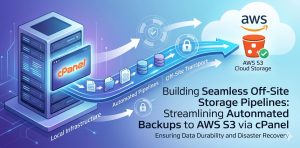
Why Modern Hosting Infrastructure Requires Off-Site Backup Pipelines
Modern hosting infrastructure is constantly exposed to operational and cybersecurity risks including ransomware attacks, accidental deletions, hardware failures, filesystem corruption, cloud outages, insider threats, and application-level compromise. Businesses that rely only on local backups often discover too late that storing backups on the same server or same datacenter creates a dangerous single point of failure. If the production server becomes compromised, backup repositories may also become inaccessible, corrupted, or encrypted by attackers. This is why organizations are increasingly adopting automated off-site backup architectures using AWS S3 integrated with cPanel environments. AWS S3 provides scalable, highly durable object storage capable of protecting critical website data, databases, emails, and account configurations from localized infrastructure failures. Businesses using cloud infrastructure management services, linux server management services, and 24/7 server management services now prioritize off-site backup orchestration as a mandatory component of modern disaster recovery planning.
Why AWS S3 Is a Preferred Destination for cPanel Backup Storage
AWS S3 has become one of the most trusted platforms for off-site backup storage because of its durability, scalability, lifecycle management capabilities, geographic redundancy, and security controls. Unlike traditional backup storage systems that may rely on a single disk array or datacenter, S3 distributes data across highly resilient cloud infrastructure designed to minimize permanent data loss risks. AWS S3 also supports automated retention policies, encryption mechanisms, access controls, versioning, and archival storage tiers such as Glacier and Deep Archive. These features make S3 particularly valuable for cPanel hosting environments managing websites, customer accounts, databases, email systems, and application assets. Organizations implementing aws server management services and managed server support services frequently integrate S3-based backup pipelines to improve infrastructure resilience and long-term recovery capabilities.
How cPanel Backup Systems Operate in Hosting Environments
cPanel includes a built-in backup subsystem designed to generate account-level backups containing website files, MySQL databases, DNS configurations, SSL certificates, email accounts, FTP users, cron jobs, and application data. Many administrators initially configure backups to remain on local storage because local restoration can be faster. However, local-only backup strategies introduce severe operational risk because hardware failure, malware infection, or server compromise may simultaneously destroy both production data and backups. By integrating cPanel backups with AWS S3, organizations transform ordinary backup workflows into distributed disaster recovery systems capable of surviving catastrophic infrastructure failures. Hosting providers delivering outsourced hosting support services and white label server support often rely on this approach to ensure stronger business continuity protection across shared hosting and cloud environments.
Why Automated Backup Pipelines Are Superior to Manual Backup Processes
Manual backup management creates significant operational problems because it depends heavily on human consistency and oversight. Administrators may forget backup schedules, fail to verify successful uploads, overlook corrupted archives, or neglect retention management. Automated backup pipelines eliminate these weaknesses by enforcing scheduled backup creation, secure off-site synchronization, encryption policies, integrity verification, retention automation, and monitoring alerts without constant human intervention. Automated systems also reduce the risk of incomplete backups and outdated recovery points. Modern infrastructure environments increasingly depend on automation because business continuity expectations now require reliable, repeatable, and continuously validated backup operations. Organizations using remote server management services and server monitoring services 24/7 commonly integrate backup telemetry into centralized monitoring systems to ensure immediate visibility into failed jobs or synchronization interruptions.
NEED EXPERT HELP WITH BACKUP INFRASTRUCTURE?
Want a Fully Automated, Secure cPanel to AWS S3 Backup Pipeline Without Operational Hassles?
Building and maintaining a reliable off-site backup system requires continuous monitoring, security hardening, storage optimization, and disaster recovery validation.
With professionally managed infrastructure support, you can eliminate backup failures, reduce downtime risk, and ensure your data is always protected with enterprise-grade resilience.
Our team helps businesses design, automate, and manage scalable backup pipelines using AWS S3, cPanel, and secure Linux server environments.
With professionally managed infrastructure support, you can eliminate backup failures, reduce downtime risk, and ensure your data is always protected with enterprise-grade resilience.
Our team helps businesses design, automate, and manage scalable backup pipelines using AWS S3, cPanel, and secure Linux server environments.
Why Backup Encryption Is Essential for AWS S3 Storage
Backups contain some of the most sensitive information within a hosting environment, including customer databases, application credentials, configuration files, billing information, emails, SSH keys, and authentication data. Uploading unencrypted backups to cloud storage introduces serious security risks that may lead to unauthorized data exposure if credentials are compromised. Strong backup architectures therefore enforce encryption both during transmission and while stored in AWS S3. Encryption mechanisms such as AES-256 and S3 server-side encryption significantly reduce exposure risks while supporting compliance requirements for regulated industries. Security-conscious organizations implementing cloud infrastructure management services and managed server support services increasingly treat backup repositories as critical infrastructure assets requiring the same security protections as production environments.
Why Incremental Backup Strategies Improve Infrastructure Efficiency
Full backup generation for large cPanel hosting environments can consume significant bandwidth, disk I/O, CPU resources, and storage capacity. Incremental backup strategies solve this challenge by transferring only changed or newly modified data after the initial backup cycle. This dramatically reduces operational overhead while improving backup frequency and storage efficiency. Incremental backups allow organizations to maintain more recovery points without consuming excessive infrastructure resources. In large-scale hosting environments containing thousands of websites and databases, incremental synchronization becomes essential for maintaining scalable backup operations. Businesses leveraging linux server management services and outsourced server management company solutions often deploy layered backup strategies combining weekly full backups with daily or hourly incremental snapshots to balance performance and recovery flexibility.
Why Monitoring and Alerting Are Critical for Backup Reliability
One of the most common backup-related failures occurs when organizations assume backups are functioning properly without active verification. Backup jobs may silently fail due to authentication issues, storage quota exhaustion, transfer interruptions, filesystem corruption, or permission errors. These failures often remain undetected until recovery is urgently required during an outage or cyberattack. Monitoring systems should therefore continuously validate backup completion status, synchronization integrity, upload success, storage availability, retention policy execution, and archive integrity. Real-time alerting enables administrators to respond rapidly before recovery readiness becomes compromised. Infrastructure teams offering server monitoring services 24/7 frequently integrate backup monitoring into centralized dashboards to maintain visibility across distributed backup environments.
Why S3 Lifecycle Policies Are Important for Long-Term Backup Management
As backup repositories grow over time, storage costs can increase significantly if retention is not managed properly. AWS S3 lifecycle policies allow organizations to automate the transition of older backups into lower-cost archival storage tiers such as Glacier and Deep Archive. Lifecycle automation improves cost efficiency while maintaining long-term disaster recovery readiness. Organizations can configure policies that retain recent backups in high-speed storage while automatically archiving older snapshots based on retention requirements. Automated expiration rules can also remove outdated backup archives that no longer provide operational value. Businesses using cloud infrastructure management services and aws server management services often rely heavily on lifecycle automation to maintain sustainable long-term backup infrastructure.
Why Recovery Testing Is Essential for Disaster Recovery Planning
Creating backups alone does not guarantee recoverability. Many organizations fail to test restoration procedures regularly and only discover corrupted archives, incomplete backups, or broken recovery workflows during actual disaster events. Effective disaster recovery planning therefore requires periodic restoration testing to validate backup integrity and recovery processes. Recovery drills should include database restoration, file recovery validation, cPanel account restoration, cross-region recovery testing, and verification of recovery time objectives. Recovery testing ensures backup systems remain operational under real-world conditions while helping administrators identify procedural weaknesses before emergencies occur. Providers delivering managed server support services and remote server management services commonly incorporate scheduled recovery testing into broader infrastructure resilience programs.
Why IAM Security Matters for AWS Backup Environments
Improper AWS Identity and Access Management configuration is one of the most overlooked risks in cloud backup infrastructure. Excessive permissions granted to backup automation systems increase the potential impact of credential compromise or insider threats. Secure backup architectures should enforce least-privilege IAM policies, dedicated backup accounts, MFA protection, restricted API permissions, and isolated storage access. Backup credentials should never possess unnecessary administrative capabilities. Cross-account backup isolation further improves security by separating production systems from backup repositories. Organizations implementing aws server management services and cloud infrastructure management services increasingly adopt zero-trust access principles to strengthen backup security posture.
Why Immutable Backup Strategies Reduce Ransomware Risk
Modern ransomware campaigns increasingly target backup repositories before encrypting production environments. Attackers understand that destroying backups significantly increases the likelihood of ransom payment. Immutable backup design helps prevent unauthorized deletion or modification of backup archives by enforcing object lock policies, restricted deletion permissions, versioning, and isolated storage accounts. AWS S3 versioning and object retention policies provide additional protection against malicious deletion attempts. Organizations managing critical hosting infrastructure under outsourced hosting support services and white label server support models increasingly deploy immutable storage controls as part of ransomware resilience strategies.
Why Performance Optimization Matters for Large Backup Pipelines
Large cPanel hosting environments often manage enormous datasets containing websites, databases, application assets, emails, logs, and customer content. Poorly optimized backup jobs can negatively impact server responsiveness, website performance, and database operations during peak traffic periods. Backup pipelines should therefore be carefully optimized through off-peak scheduling, incremental synchronization, compression tuning, resource throttling, and bandwidth management. Efficient optimization minimizes infrastructure disruption while maintaining backup consistency. Hosting providers operating enterprise-scale environments through managed server support services and linux server management services often deploy centralized orchestration systems to optimize backup performance across multiple servers simultaneously.
Why Compliance Requirements Influence Backup Architecture Design
Many industries operate under strict compliance regulations governing data retention, encryption, access control, and auditability. Healthcare organizations, financial institutions, SaaS providers, and eCommerce businesses frequently require backup systems aligned with frameworks such as GDPR, HIPAA, PCI DSS, SOC 2, and ISO 27001. Backup architectures must therefore incorporate encrypted storage, retention enforcement, audit logging, access controls, and geographic storage policies from the beginning. Compliance-focused infrastructure environments increasingly depend on automated policy enforcement to maintain regulatory alignment while reducing operational risk.
Why Off-Site Backup Pipelines Are Essential for Business Continuity
Business continuity planning depends heavily on reliable and secure off-site backup infrastructure capable of surviving catastrophic failures. Without geographically separated backups, organizations remain vulnerable to permanent data loss caused by ransomware, hardware destruction, cloud outages, insider attacks, or natural disasters. AWS S3 integrated with cPanel creates a scalable, automated, and highly resilient backup ecosystem that improves operational continuity and disaster recovery readiness. Businesses investing in 24/7 server management services, cloud infrastructure management services, and server monitoring services 24/7 increasingly recognize that proactive backup automation is no longer optional in modern infrastructure environments.



