




Introduction: Common SSL Errors in Web Hosting
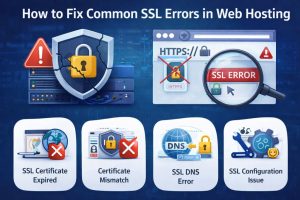
Common SSL errors in web hosting occur when secure HTTPS communication between the browser and server fails due to misconfiguration, expired certificates, or incomplete certificate chains. These errors directly impact website security, SEO rankings, and user trust, often resulting in browser warnings like “Not Secure” or “Your Connection Is Not Private.” From a real-world infrastructure perspective, engineers diagnose SSL issues by analyzing logs, validating certificate chains, checking server configurations, and ensuring proper DNS and hosting alignment to restore secure communication quickly and efficiently.
Quick Summary:
SSL errors in web hosting usually happen due to expired certificates, incorrect domain mapping, incomplete certificate chains, or server misconfigurations. Engineers fix these issues by verifying certificate validity, checking installation paths in cPanel or WHM, validating SSL chains using OpenSSL commands, and analyzing server logs such as Apache, NGINX, and Exim. Proper SSL management ensures secure data transmission, improves SEO rankings, and prevents browser security warnings.
Understanding the Problem: Why SSL Errors Break Websites in Hosting Environments
SSL errors are not just simple warnings; they are indicators of broken trust between the client and server. When a browser tries to establish a secure HTTPS connection, it performs an SSL handshake that verifies the server’s identity using a digital certificate. If any step in this process fails, the connection is either downgraded or blocked entirely.
In shared hosting environments managed via cPanel server management or WHM server support, SSL errors often arise due to automated processes like AutoSSL failing silently. In cloud environments such as AWS server management or Azure cloud support, SSL misconfigurations can occur at load balancer levels, reverse proxies, or CDN layers.
From an infrastructure engineer’s perspective, SSL errors are categorized as critical incidents because they impact uptime perception, even if the server is technically running. A website showing an SSL warning is effectively considered down by users.
Root Causes: Why SSL Errors Happen in Real Hosting Environments
The most common cause of SSL errors is certificate expiration. Many hosting setups rely on automated renewal systems like Let’s Encrypt AutoSSL, but if cron jobs fail or DNS validation breaks, certificates expire without notice. Engineers frequently encounter this in outsourced hosting support environments where monitoring is not properly configured.
Another major cause is incomplete certificate chain installation. When the intermediate certificate is missing, browsers cannot verify the trust chain, leading to errors like “SSL Certificate Not Trusted.” This often happens in manual SSL installations in cPanel or Plesk.
Domain mismatch is another frequent issue. If the SSL certificate is issued for example.com but the user accesses www.example.com, the browser throws a mismatch error. This is common in poorly configured DNS environments.
Server configuration issues also play a significant role. Incorrect Apache or NGINX SSL configurations, outdated TLS versions, or disabled cipher suites can break SSL compatibility. Engineers working in Linux server management services often diagnose these issues by inspecting configuration files and logs.
How Engineers Diagnose SSL Errors: Real Debugging Approach
Engineers begin SSL troubleshooting by replicating the issue and identifying the exact browser error. Then, they move to server-side diagnostics using tools and commands.
One of the first commands used is OpenSSL:
openssl s_client -connect example.com:443 -servername example.com
This command helps verify the SSL handshake, certificate chain, and expiration details. Engineers analyze output such as:
Verify return code: 21 (unable to verify the first certificate)
This indicates a missing intermediate certificate.
Next, engineers check server logs. In Apache environments:
/usr/local/apache/logs/error_log
In NGINX environments:
/var/log/nginx/error.log
Typical SSL-related log entries include:
SSL Library Error: error:14090086:SSL routines:ssl3_get_server_certificate:certificate verify failed
In cPanel server management, engineers also check AutoSSL logs:
/usr/local/cpanel/logs/autossl/
For cloud setups, tools like AWS CloudWatch or Azure Monitor are used to detect SSL-related failures in load balancers or application gateways.
Step-by-Step Fix: How Engineers Resolve SSL Errors Fast
Engineers follow a structured approach to fix SSL errors efficiently. First, they verify certificate validity using:
openssl x509 -enddate -noout -in certificate.crt
If expired, they trigger renewal using AutoSSL in cPanel or manually via Let’s Encrypt:
certbot renew
Next, they fix certificate chain issues by installing the correct CA bundle. In WHM:
- Navigate to Install an SSL Certificate
- Paste certificate + private key + CA bundle
For Apache configuration:
SSLCertificateFile /path/to/certificate.crt
SSLCertificateKeyFile /path/to/private.key
SSLCertificateChainFile /path/to/ca_bundle.crt
Engineers then validate domain coverage. If mismatch occurs, they reissue certificates including all required domains:
certbot -d example.com -d www.example.com
For server configuration issues, engineers ensure TLS versions are enabled:
SSLProtocol all -SSLv2 -SSLv3
SSLCipherSuite HIGH:!aNULL:!MD5
Finally, they restart services:
systemctl restart httpd
systemctl restart nginx

Real-World Production Scenario: SSL Failure in High-Traffic Hosting Environment
In a real production case handled under white label support for a hosting provider, a high-traffic eCommerce website experienced sudden traffic drop. Users reported “Your Connection Is Not Private.”
Upon investigation, engineers found that AutoSSL renewal failed due to DNS misconfiguration. The domain’s A record was pointing to a CDN instead of the origin server, causing validation failure.
Engineers resolved the issue by temporarily updating DNS to point to the origin server, triggering certificate renewal, and then restoring CDN routing. Total downtime impact was reduced to under 30 minutes.
Tools Used by Engineers for SSL Monitoring and Troubleshooting
Engineers rely on multiple tools for proactive SSL monitoring. Nagios and Zabbix are used for certificate expiry alerts. Cloud monitoring tools like AWS CloudWatch help detect SSL handshake failures.
Online tools such as SSL Labs provide deep analysis of SSL configurations, highlighting weak ciphers, protocol issues, and trust chain problems.
In server monitoring and maintenance setups, SSL checks are integrated into health monitoring scripts to ensure proactive detection before users are affected.
Performance and Security Impact of SSL Errors
SSL errors directly affect SEO rankings because search engines prioritize HTTPS-enabled websites. Google has confirmed HTTPS as a ranking factor, making SSL critical for visibility.
From a security standpoint, SSL errors expose users to potential data interception risks. Even temporary SSL failures can damage user trust and lead to revenue loss.
In high-availability environments targeting 99.99% uptime, SSL misconfiguration is treated as a P1 incident due to its direct impact on user experience.
Best Practices Used by Engineers to Prevent SSL Errors
Experienced engineers implement automated SSL renewal monitoring with alerting systems. They ensure certificates are renewed at least 15–30 days before expiry.
They also enforce centralized SSL management in cloud environments, using load balancers or reverse proxies to handle certificates instead of individual servers.
Regular audits using tools like SSL Labs help maintain strong encryption standards. Engineers also standardize configurations across servers using automation tools like Ansible or Terraform.
Comparison Insight: AutoSSL vs Manual SSL Management
AutoSSL simplifies SSL management in cPanel environments but can fail silently if DNS or validation issues occur. Manual SSL management provides more control but requires expertise and regular monitoring.
In enterprise environments, engineers prefer centralized SSL management using cloud services, ensuring scalability and reliability.
Case Study: Fixing SSL Chain Issue in Multi-Domain Hosting Setup
A hosting client using WHM server support faced intermittent SSL warnings across multiple domains. Investigation revealed that the CA bundle was incorrectly installed.
Engineers reinstalled the correct intermediate certificates and verified using OpenSSL. The issue was resolved across all domains without downtime, improving trust scores and SEO rankings.
Struggling with Traffic Spikes and Downtime?
Partner with our experts for reliable cloud auto-scaling, proactive monitoring, and high-availability infrastructure solutions.
What causes SSL errors in web hosting?
SSL errors are caused by expired certificates, domain mismatch, incomplete certificate chains, or server misconfigurations.
How do engineers fix SSL errors?
Engineers diagnose SSL errors using logs and OpenSSL tools, then fix issues by renewing certificates, correcting configurations, and installing proper certificate chains.
Why does my website show “Not Secure”?
This happens when SSL is missing, expired, or incorrectly installed, preventing secure HTTPS communication.
How can SSL errors be prevented?
SSL errors can be prevented by enabling AutoSSL monitoring, renewing certificates on time, and regularly auditing SSL configurations.
Does SSL affect SEO rankings?
Yes, SSL improves SEO rankings because search engines prioritize secure HTTPS websites.
Conclusion: Why SSL Management Is Critical in Modern Web Hosting
SSL errors in web hosting are not just technical issues they directly impact security, SEO, and business reputation. From our experience in Linux server management services, cloud infrastructure, and outsourced hosting support, proactive SSL monitoring and proper configuration are essential for maintaining secure and high-performing websites. Engineers must treat SSL as a critical component of infrastructure, ensuring continuous validation, monitoring, and optimization to prevent failures and maintain trust.



